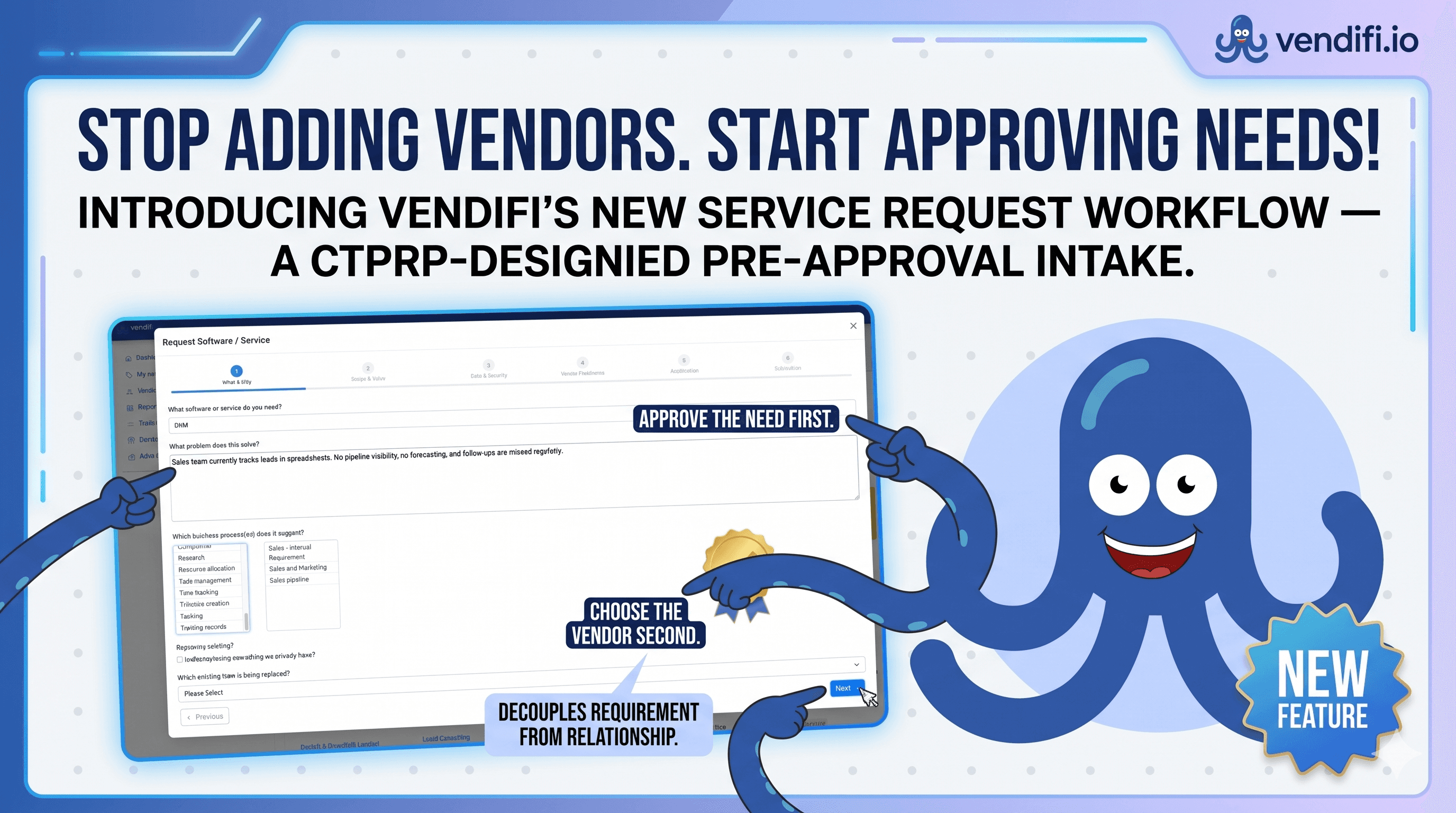
Stop adding vendors. Start approving needs.
Introducing Vendifi's new Service Request workflow — a CTPRP-designed pre-approval intake that decouples the requirement from the relationship. Approve the need first. Choose the vendor second.
Most procurement processes go like this: someone in a department finds a tool, likes it, and buys it. Then they tell IT, finance, or security — usually after the credit card has been charged.
By that point, you're not doing TPRM. You're doing damage control.
Our clients kept asking us for the same thing, in slightly different words every time: a way to capture the need before anyone went vendor shopping. A pre-approval gate. Something that forces "should we have this?" to be answered before "who should we buy it from?"
So we built it. And today it's live in Vendifi.
The problem with vendor-first thinking
Traditional procurement and TPRM tools start with the vendor. You enter the vendor name, you attach what they're providing, you start the due-diligence cycle. The implicit assumption: someone, somewhere, has already decided this purchase should happen.
That assumption is wrong more often than it's right. In every TPRM programme I've audited, sat on, or built, the same governance gap shows up: there's no formal step where the business need is documented, scoped, and approved before the vendor conversation begins.
This matters for three reasons:
- Shadow IT starts here. When intake is informal, requests bypass governance entirely.
- Vendor selection becomes a fait accompli. By the time security and procurement see it, the requester has already picked their preferred vendor and the process is a rubber stamp.
- You lose the audit trail. Regulators under DORA, NIS2, and the FCA increasingly want to see why a third-party relationship was entered into — not just that the DDQ was completed.
What we built
A six-step service request workflow inside Vendifi that captures the requirement, runs it through approval, and only then lets a vendor be attached. Approved items land in your catalogue. Rejected ones don't. Both are logged.
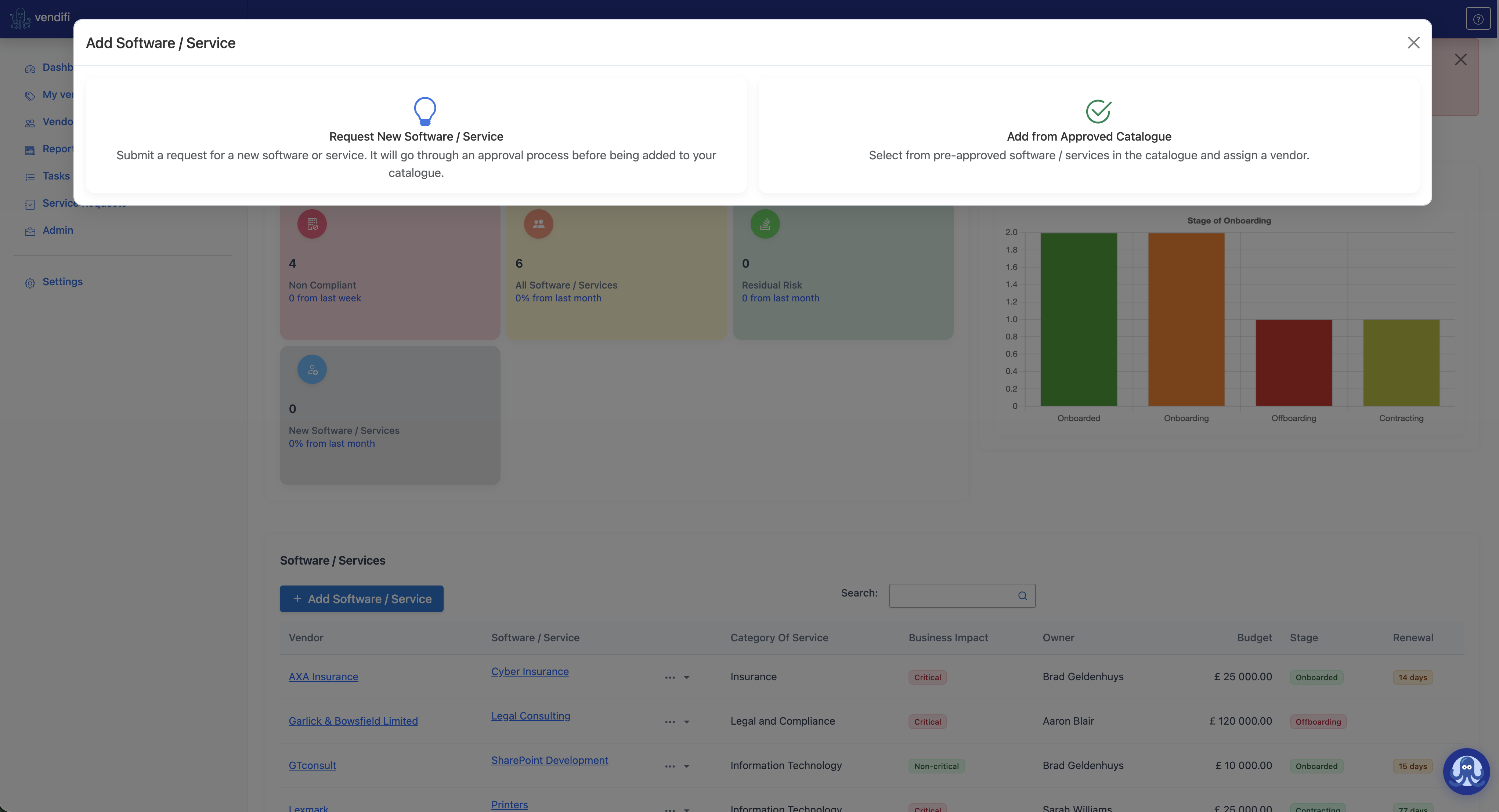
When a user clicks Add Software / Service, they're given two paths. They can request something new — which triggers the pre-approval wizard — or they can pull from the approved catalogue, where vendor assignment happens immediately because the underlying need has already been governed.
The six-step intake
What & Why
The need. Problem statement. Business process. Is this replacing something we already have?
Scope & Value
Department, user count, annual budget, target operational date, criticality, urgency.
Data & Security
Personal data? Special category? Classification, residency, deployment, SSO, MFA, integrations, compliance drivers.
Vendor Preference
Preferred vendor (if any), discussions held, quotes received, alternatives considered, POC required?
Justification
Business case. Consequences of not approving. The why this, why now written down before it's forgotten.
Submission
Proposed owner of the software or service, accuracy confirmation, submission. The audit clock starts.
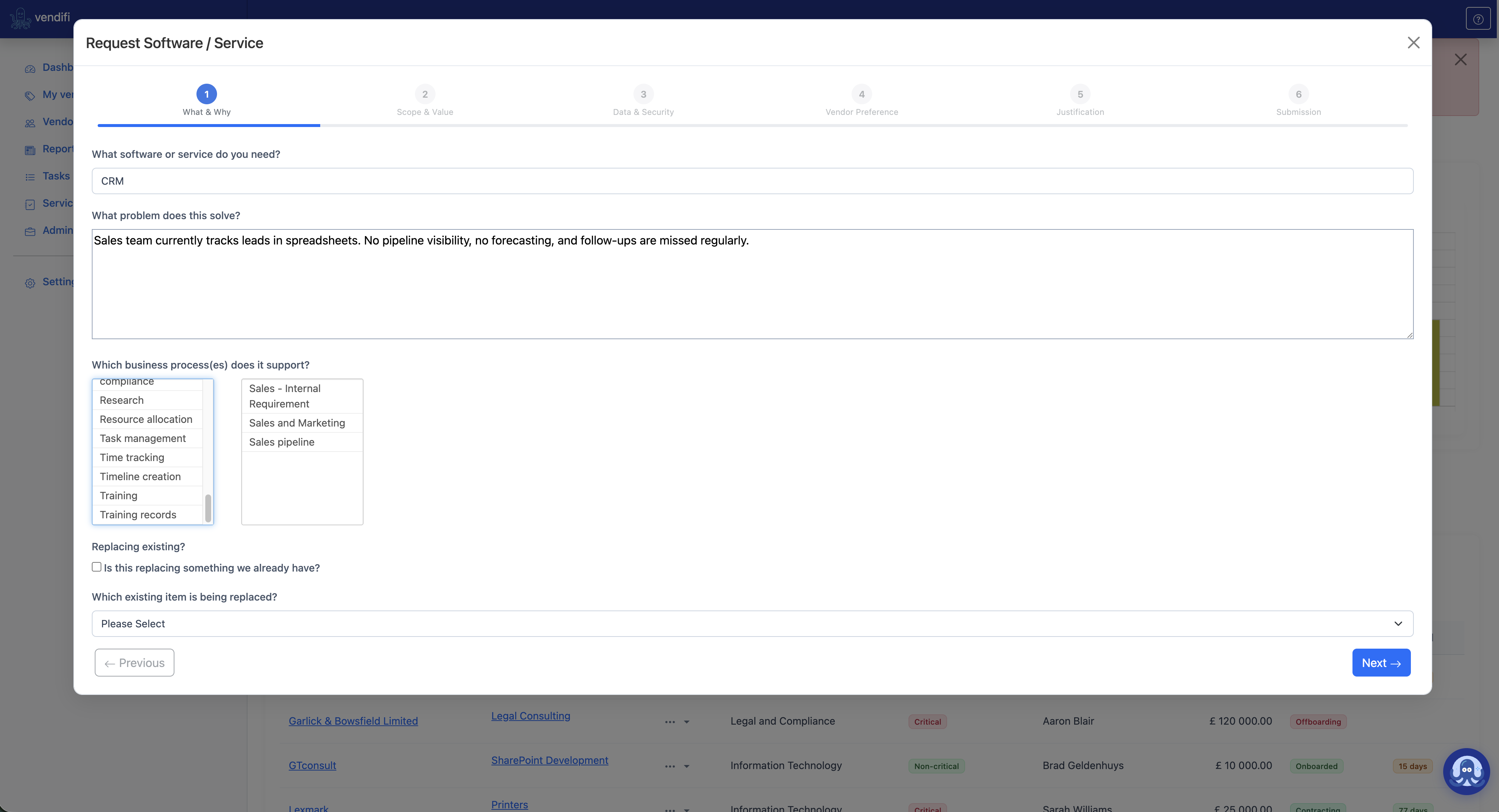
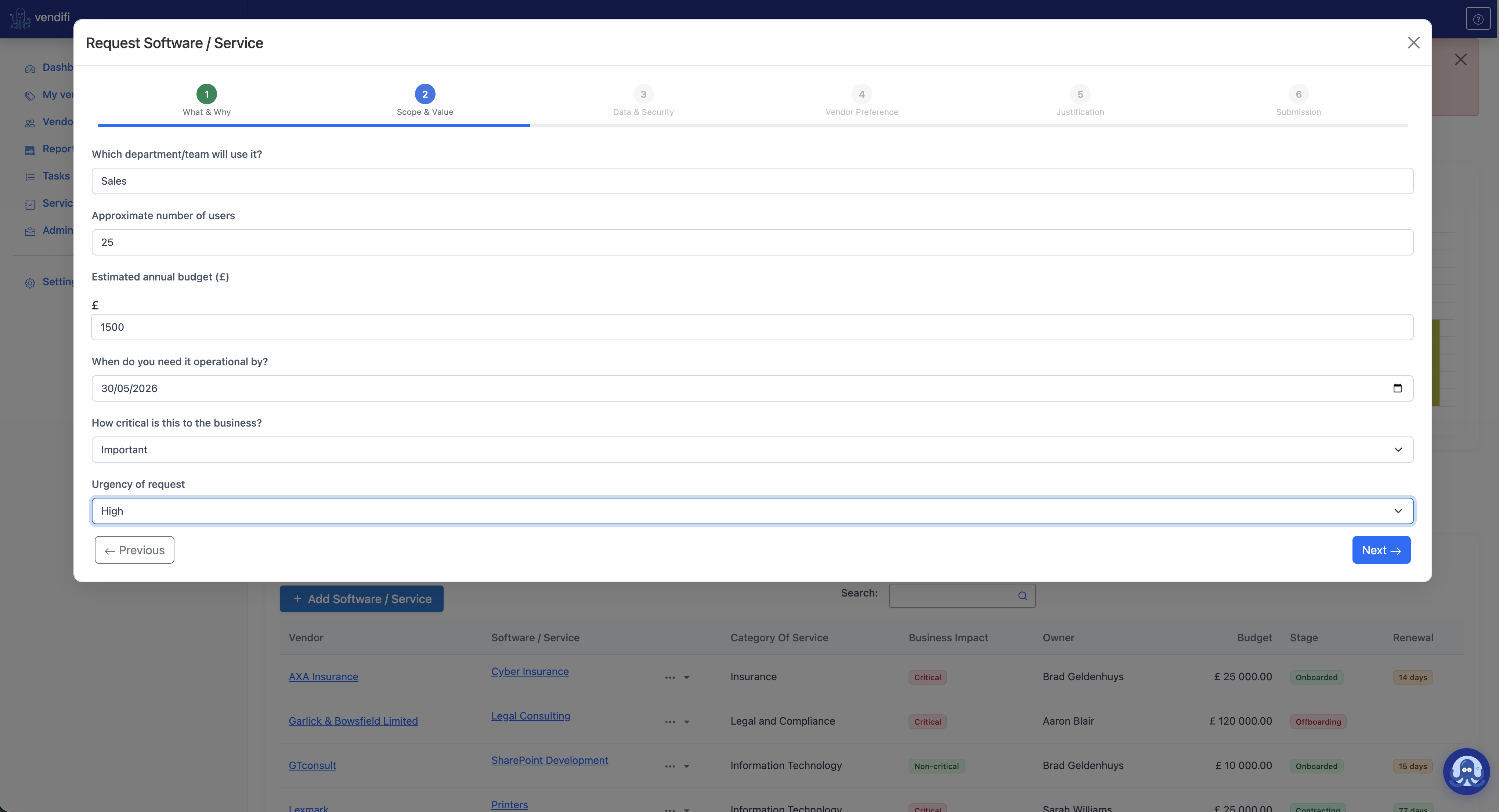
By the time you're issuing a vendor DDQ, you already know the data classification, integration footprint, regulatory drivers, and deployment model. The questionnaire becomes faster, more targeted, and less of a back-and-forth. Intake feeds due diligence — it doesn't repeat it.
Approval, not just intake
Once submitted, the request lands in your reviewer queue with a unique ID (SSR-1, SSR-2, and so on). Reviewers can start a review, approve, or reject — with optional notes captured for the audit trail.
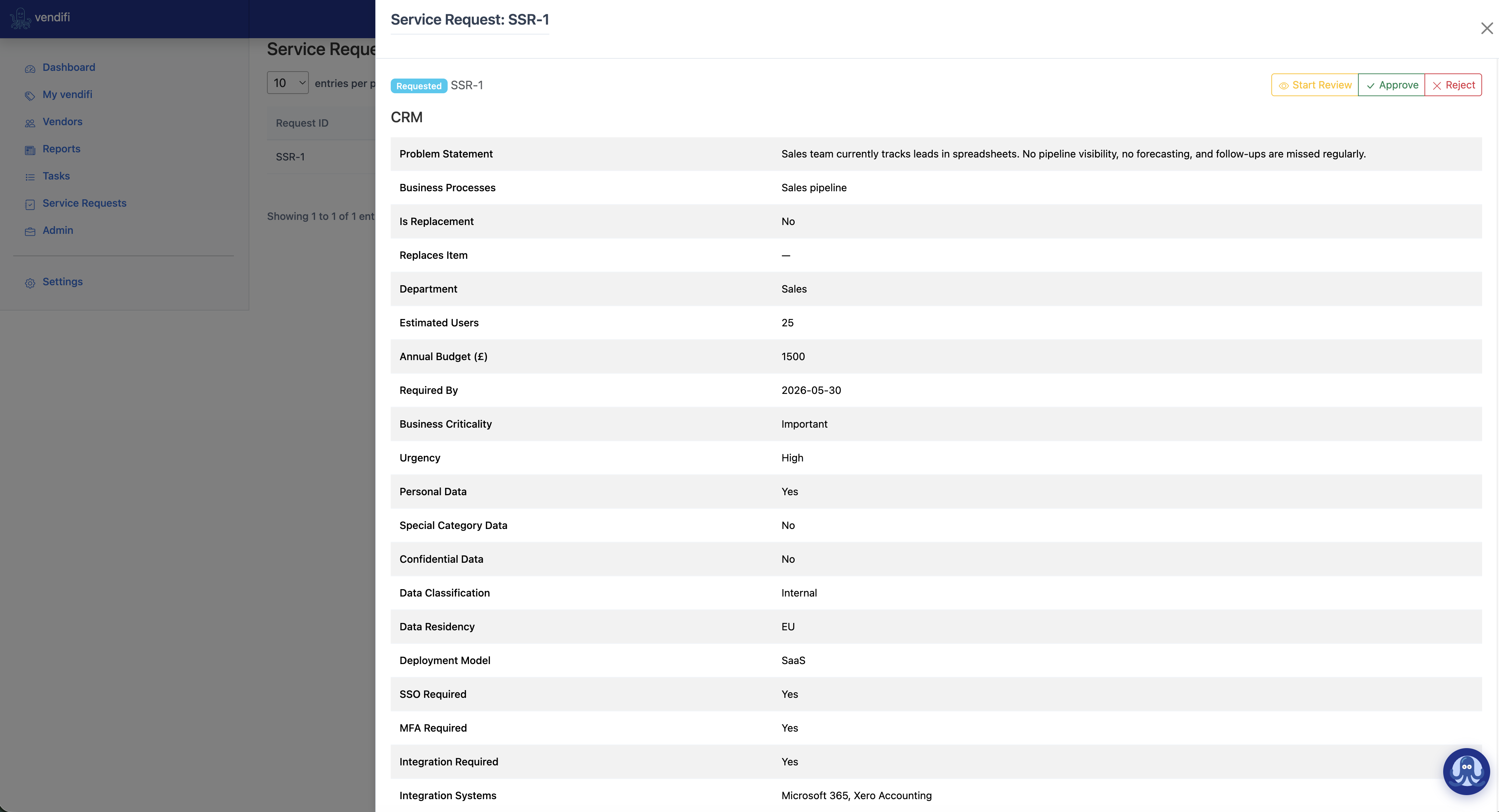
Approved requests join the approved catalogue. From that point on, anyone in the organisation adding software or services can pull from this catalogue and attach a vendor — without re-running the approval process for a need that's already been governed.
Rejected requests remain in the system. Visible. Auditable. So when the same request lands again six months later from a different team, you have the history to refer back to.
Why decoupling the need from the vendor matters
This is the part that took the longest to design and is, in my view, the most important architectural decision in the entire feature.
One approved catalogue entry — say, CRM platform — can be linked to multiple vendors over time. You start with HubSpot. Three years later you migrate to Salesforce. The catalogue entry stays consistent. The vendor record changes. The governance trail of why this capability exists in the business is preserved across the entire vendor lifecycle.
This is how mature TPRM programmes actually operate. It's how DORA expects you to think about ICT third-party risk: by function and criticality, not by supplier name. And it's why every step of this workflow was designed against CTPRP intake principles — not bolted on as a procurement convenience.
Fully customisable
Your governance isn't ours. Your industry, risk appetite, and approval routing are specific to you. So every step, every question, every dropdown option in the workflow is configurable from the Vendifi admin section.
- Hide steps you don't need.
- Add steps that map to your internal governance.
- Change the field labels, choice values, and validation rules.
- Swap the approval routing to match your delegation matrix.
- Adjust compliance driver lists to reflect the regulators you actually answer to.
The wizard adapts to your process — not the other way around.
The bigger picture
This release isn't just about cleaner procurement. It's about closing one of the largest blind spots in modern TPRM: the gap between we need a tool and we now have a signed contract with a third party touching our data.
Most TPRM platforms only show up after that contract is signed. Vendifi now starts earlier — at the moment the need is identified — which means the governance, the security context, and the audit trail all begin where they should: with the business question, not the vendor pitch.
Stop adding vendors. Start approving needs. The rest follows.